
Elsevier
Background
Elsevier is a global information analytics company, renowned for publishing leading scientific journals, including The Cell and The Lancet.
Summary
We developed a new web-based application to streamline journal publishing and improve daily workflows for Journal Managers. The project ran over 6 months, from research and concept to rollout.
My role
Working client side, I was the Lead UX / Product Designer on the project, working as part of a cross-functional delivery team. This included:
- Product Owner, Business Analyst, Five developers (2 front-end, 3 back-end), Systems Architect, Project Sponsor / Lead
- We also collaborated with around 20 business stakeholders and a core group of five Journal Managers who participated in research, testing, and feedback throughout.
The Challenge
Elsevier’s journals were being compiled using a 20-year-old Oracle-based system which was due to be decommissioned.
It was originally designed for printed journals and lacked flexibility for modern digital publishing. Despite its daily use by Journal Managers, it had poor UX and had become bloated with features bolted on over the years, resulting in a clunky, frustrating user experience.
The Process
1. User Workshops
I led several workshops with Journal Managers to:
- Observe how they compiled issues in the existing system
- Gather qualitative feedback on what was missing, what worked well, and daily frustrations
- Validate business requirements and uncover additional user needs
This helped align user needs with business goals and informed feature prioritisation.
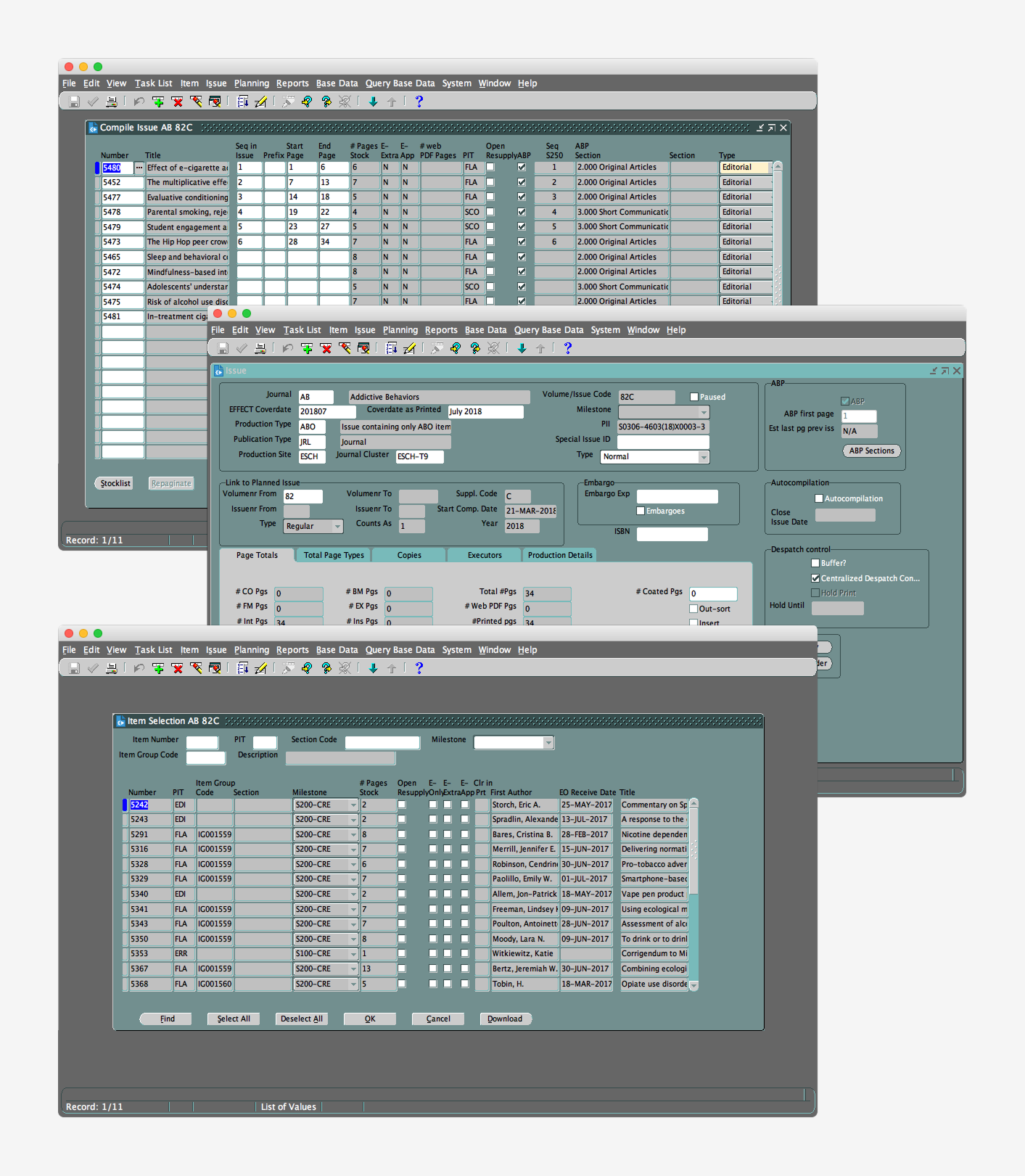
Elsevier’s existing publishing system
2. Proof of Concept
I created an interactive prototype that:
- Brought written requirements and user feedback to life
- Enabled early UI concept validation with stakeholders and Journal Managers
- Helped assess technical feasibility with the development team
3. Product Design
- Working in two-week sprints ahead of the developers, I used Figma to turn user stories into screens and components.
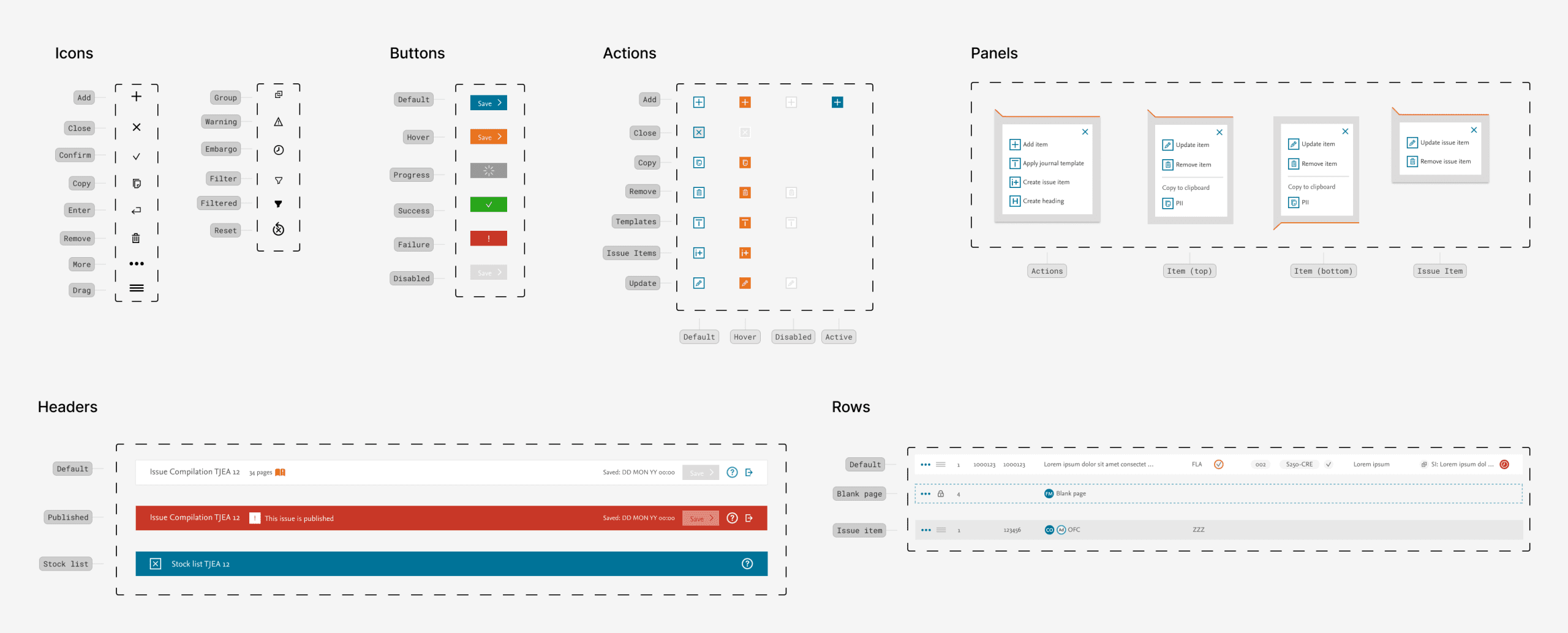
- While Elsevier’s global design system served as a foundation, I created and adapted new application modules specifically suited for internal daily use.
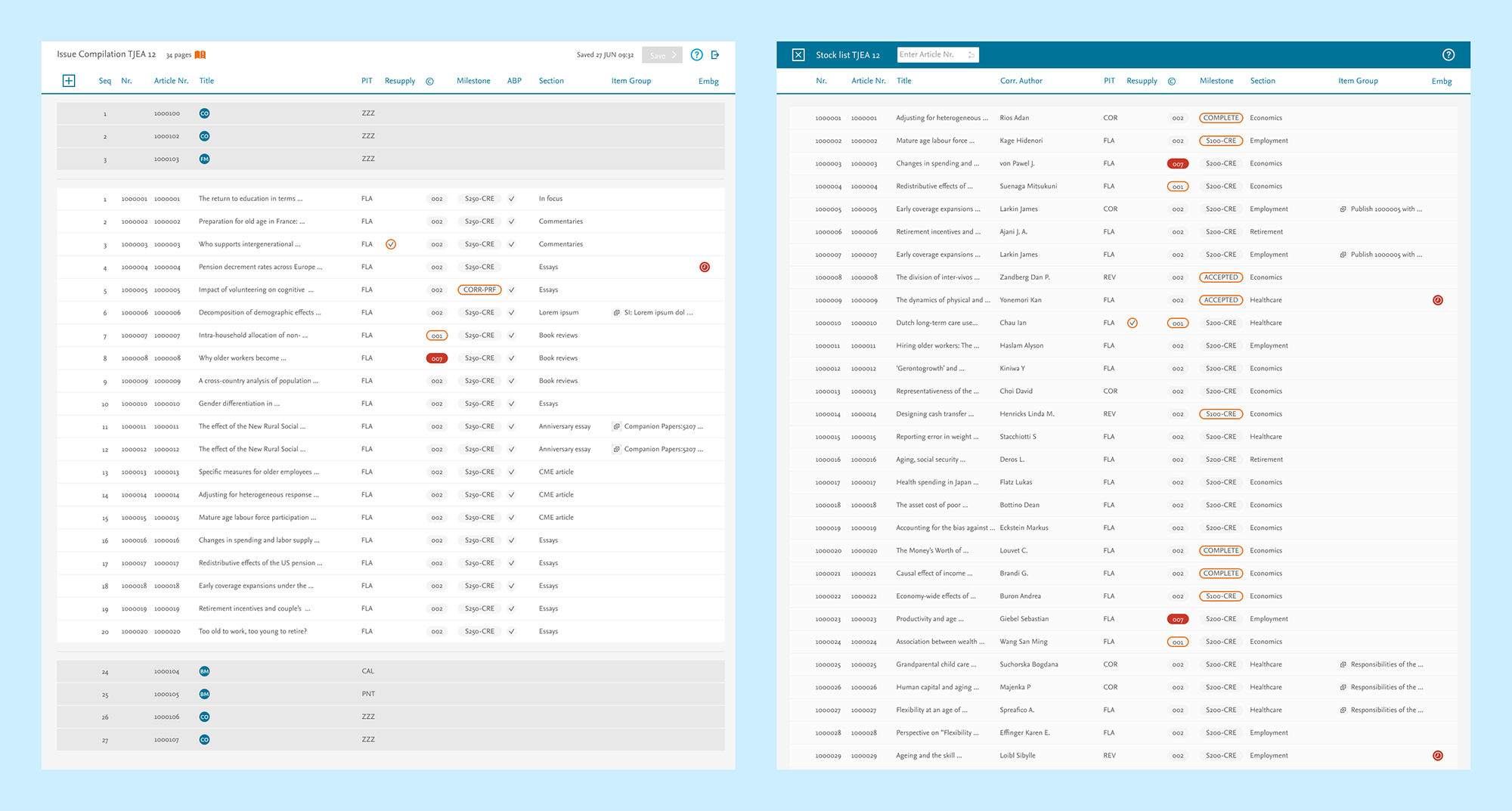
Key features included:
Journal Compilation
- A simplified article list per journal
- Reordered data columns based on user research
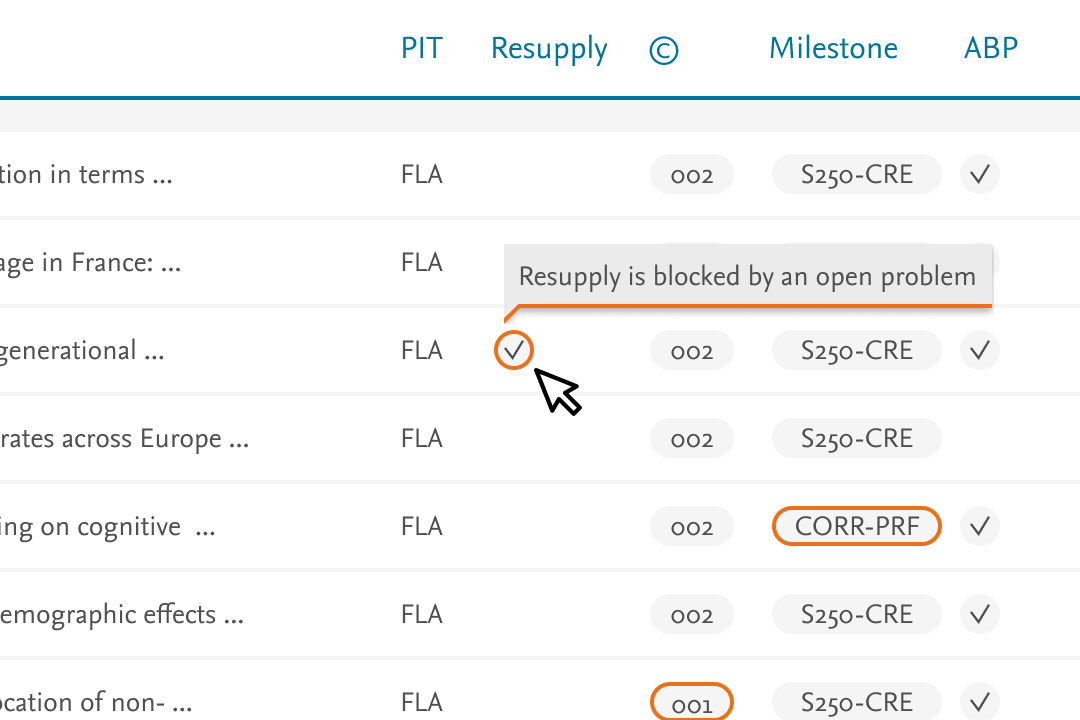
- Visual alerts for articles not ready for publishing, with colour-coded states and tooltips for context
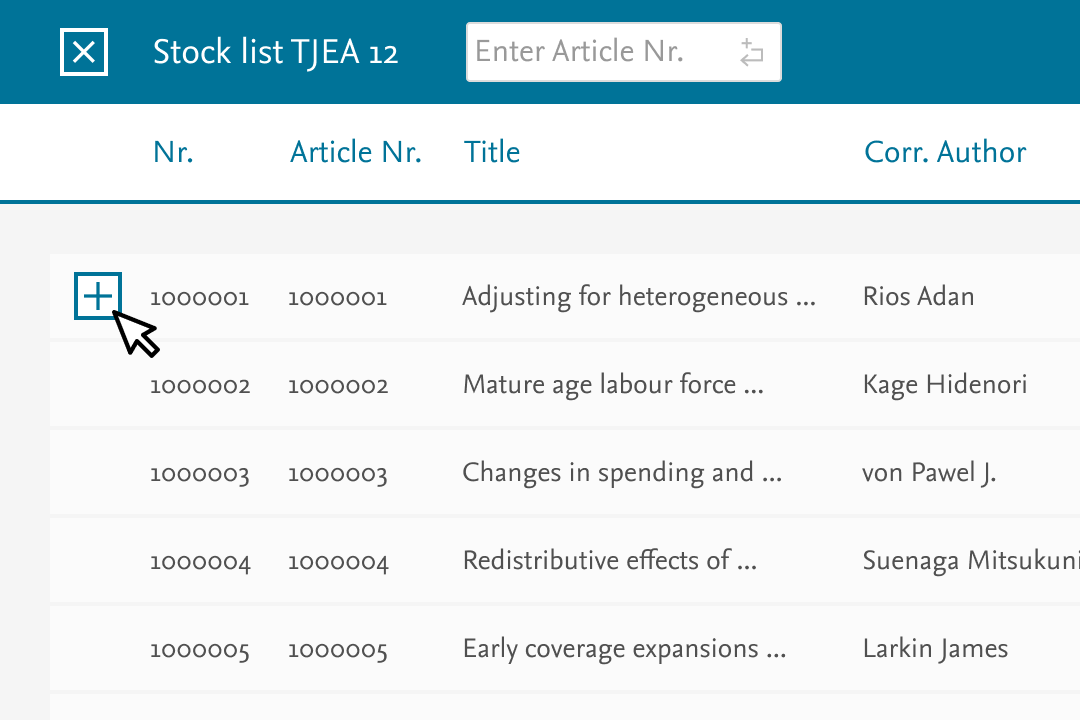
Adding Articles
- Simple controls for adding articles by ID or selecting from a pre-filtered list
- Filtering capabilities added in later sprints
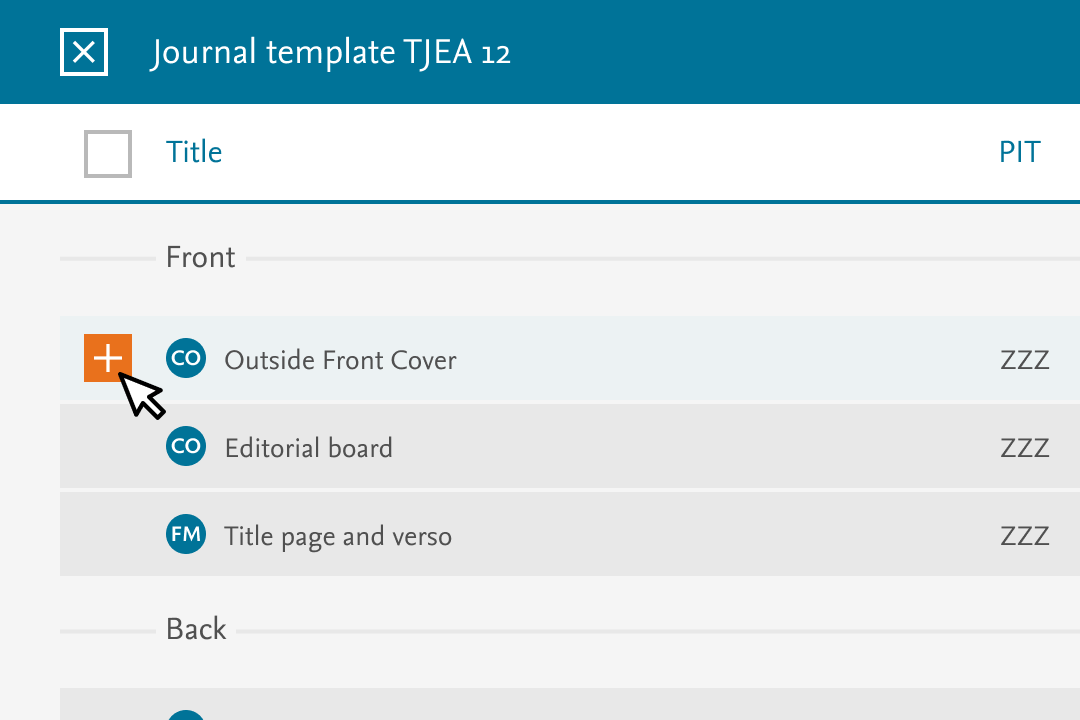
Journal Templates
- Designed reusable templates for items like front covers and ads
- Enabled quick, one-click additions of standard items across journals
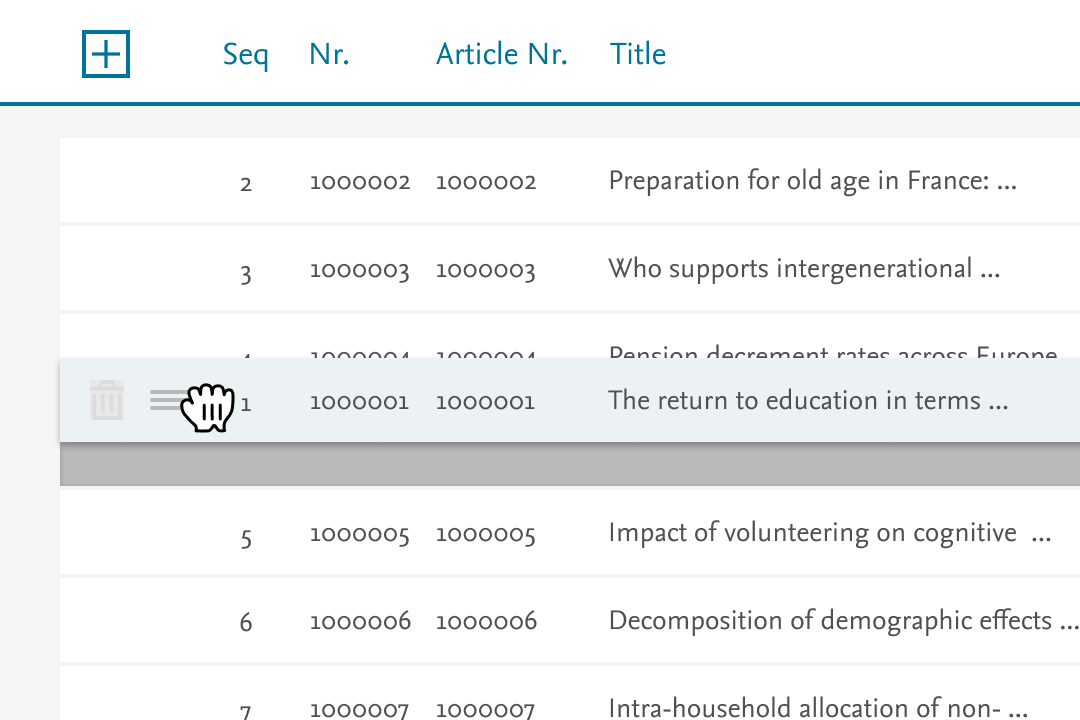
Amending and Ordering
- Drag-and-drop article reordering, replacing a tedious manual process
- Instant visual feedback
User Testing
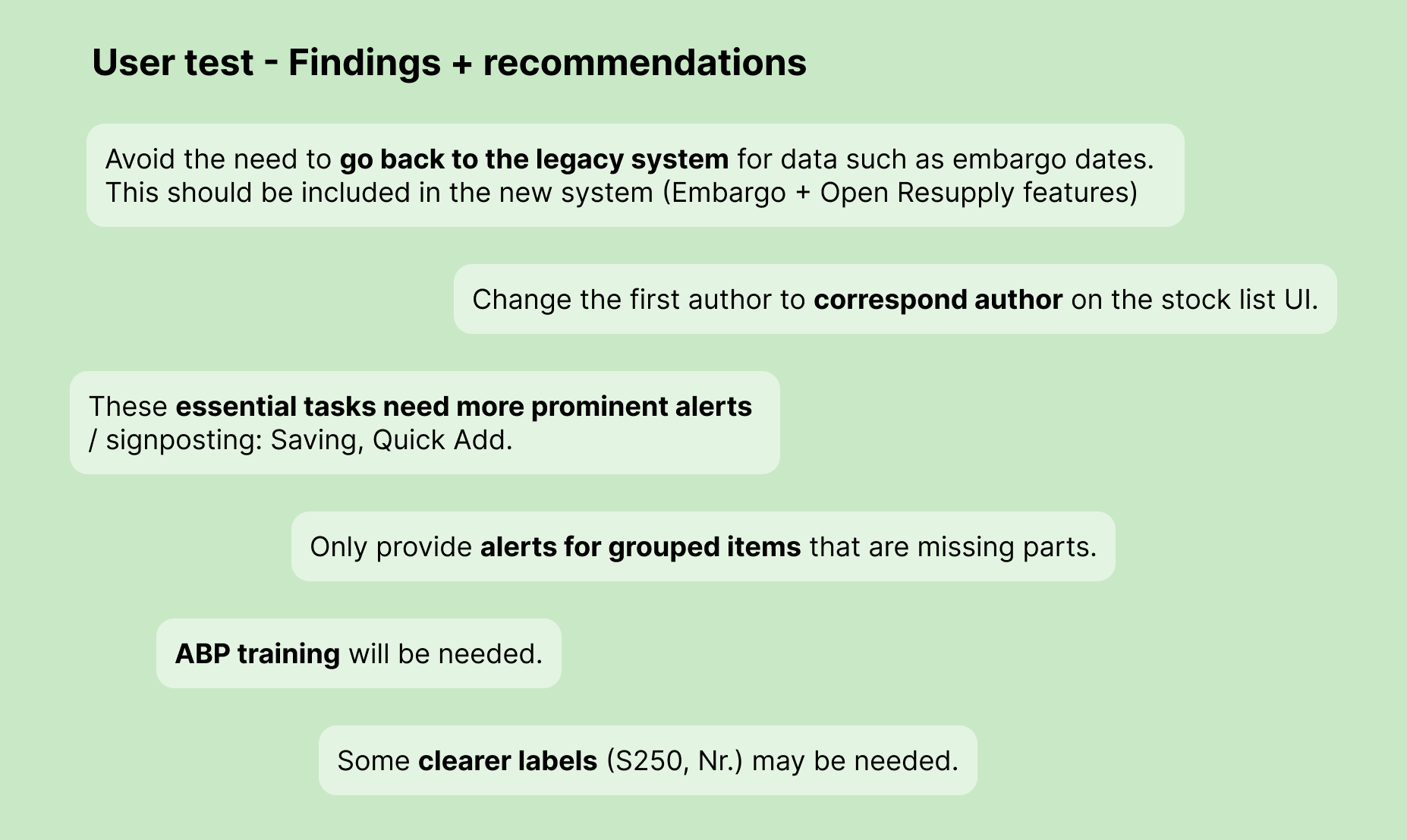
In every sprint, I conducted 1:1 qualitative usability testing with our core group of Journal Managers across five global regions.
Participants completed typical tasks while narrating their actions, helping us to:
- Validate and iterate the designs
- Capture emerging needs for the backlog

Development Support
To support development:
- I delivered modular Figma components for reuse across sprints
- Linked designs to Jira stories to serve as the single source of truth
- Maintained documentation on WCAG AA compliance for stakeholder reporting
Close collaboration between design, development, and business stakeholders ensured alignment throughout the 6-month project lifecycle.
Results
Soft launch (Phase 1):
- Rolled out to 190 journals, with expansion to 1,600 journals the following year
Reduced UAT testing:
- Ongoing user involvement during design reduced the time required for User Acceptance Testing
- Developers reported smoother sprints and fewer usability issues post-build
Positive user feedback:
“The new system is excellent — user-friendly and simple. It will ease production activities a lot.”
“There are functions which are really useful in the new system which weren’t possible before.”
“The new system makes life a lot easier for a Journal Manager.”